
MultiendMultireader Português

What's new

Multireader 2.1.9

Released on November 23, 2026

All versions

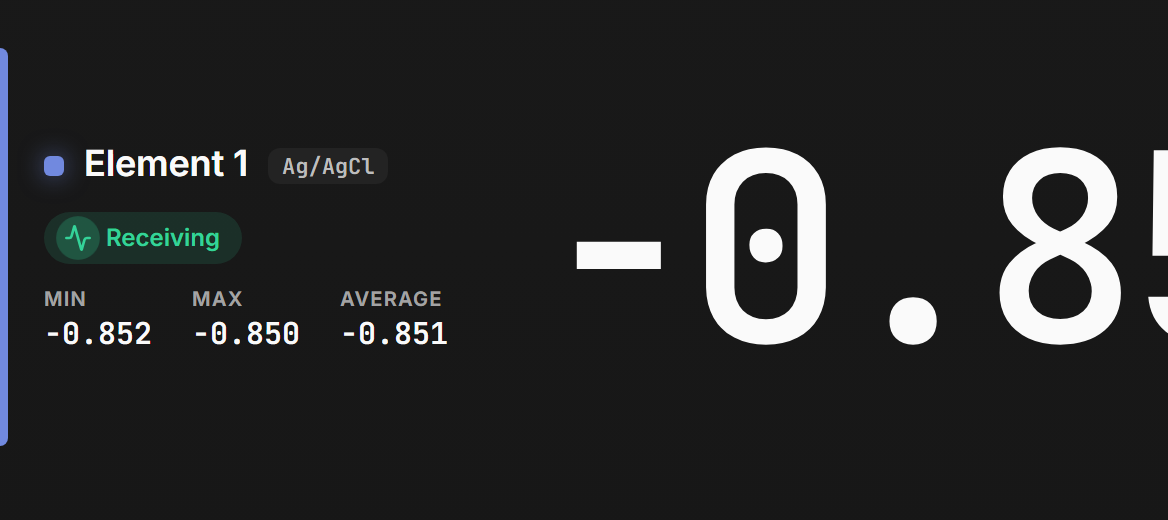
1Statistics always visible

In the Live view, the minimum, maximum and average of each element are always visible, under the element's name and status. The Details button is gone.

To reset the statistics, use Reset statistics, under AutoLog and Logbook. The same line shows when the statistics started and how many readings they include.
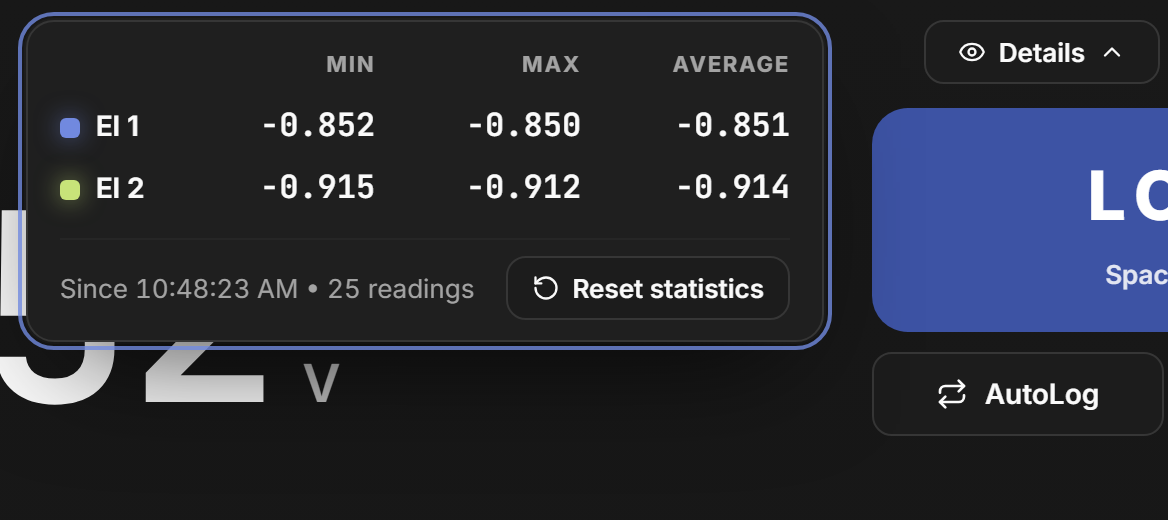
Live view in version 2.1.8, with the Details button open and the Min, Max and Average of both elements in a panel over the reading.
Version 2.1.8 • statistics behind the Details button
Live view in version 2.1.9, with Min, Max and Average under the Element 1 name, beside the reading.
Version 2.1.9 • statistics under each element

2License and updates in one section

In Settings, the new License and updates section brings the license and update information together on one page.

The licensed version is no longer shown.
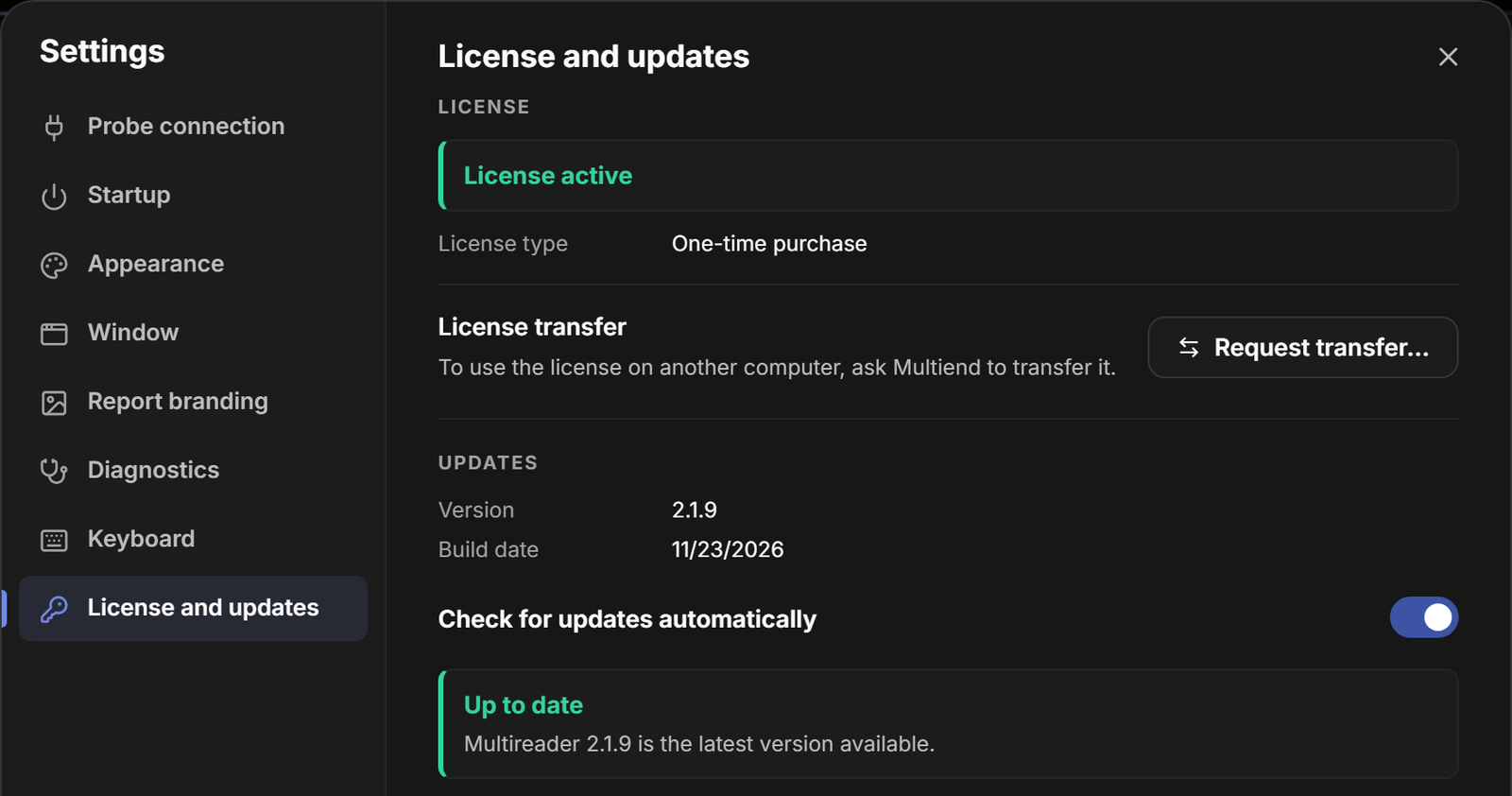
Settings open at the License and updates section, with an active one-time purchase license, the license transfer and, under Updates, version 2.1.9, automatic checks turned on and the notice that the program is up to date.
Version 2.1.9 • License and updates section

3Trend with no readings

Without readings, the Trend chart no longer shows a moving time axis. The times appear with the first reading.
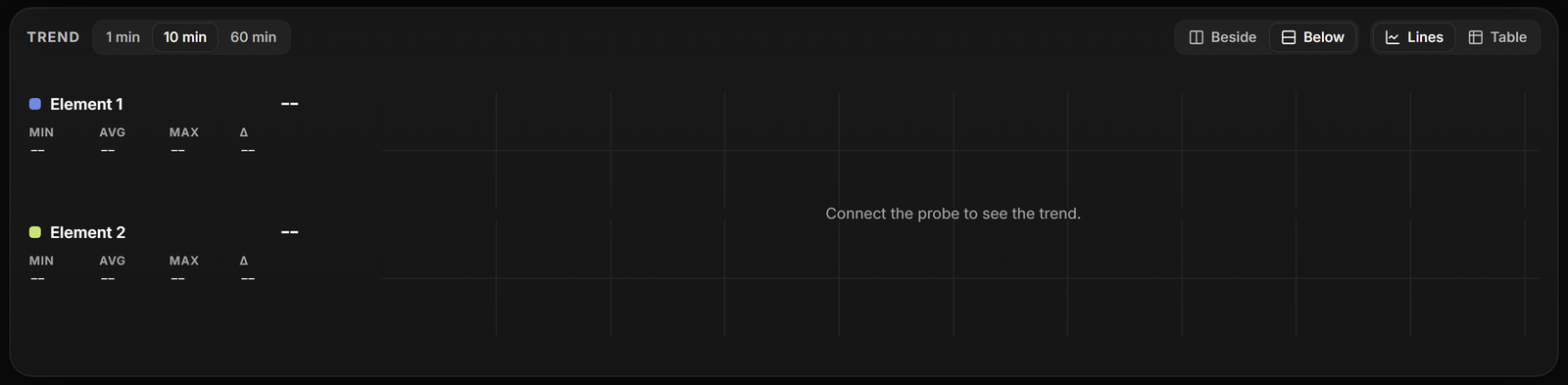
Trend panel with no readings, showing the message Connect the probe to see the trend and no time axis.
Version 2.1.9 • Trend with no readings

4Short release notes in the update notice

When an update is available, the notice lists the main changes in short points.

Starting with version 2.1.9, each version has a page like this one, with a full explanation of every change and images.
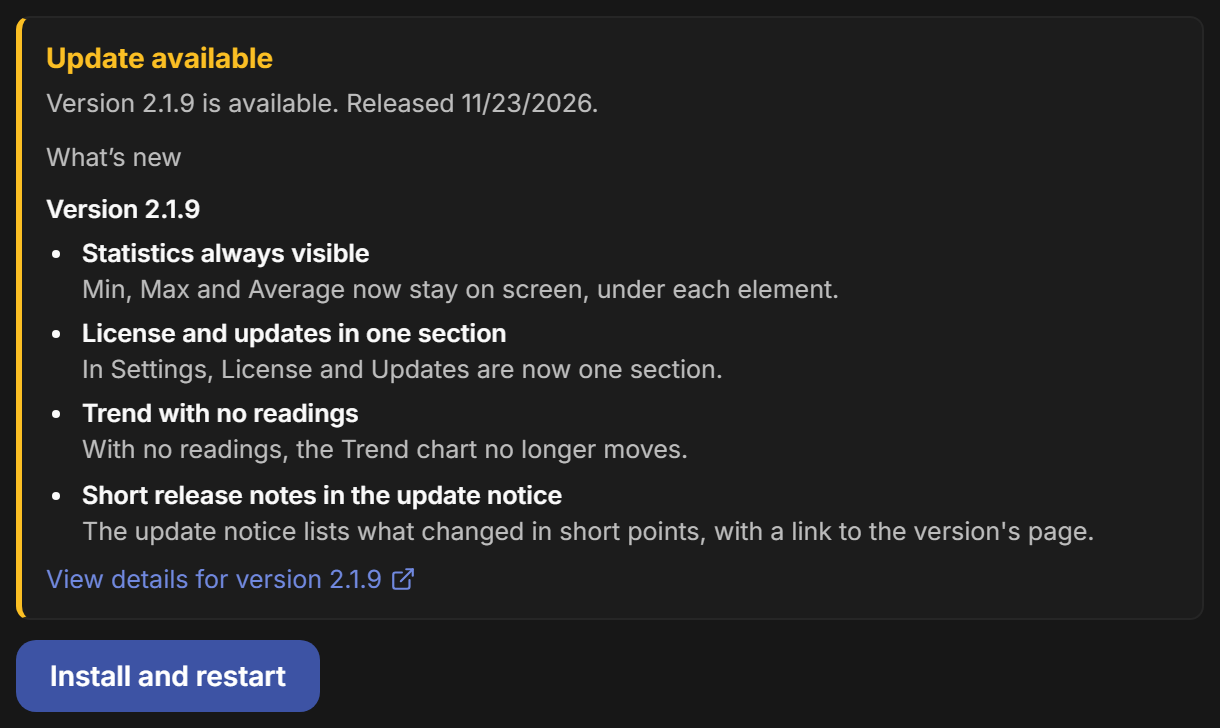
Update available notice for version 2.1.9, with what's new in four short points, the View details for version 2.1.9 link and the Install and restart button.
Version 2.1.9 • what's new in the update notice